555 Timer Dragon
A dragon-shaped PCB with an eye that glows using a 555 timer. This was my first-ever PCB design project. I made it using EasyEDA, and assembled it myself. It was also great practice soldering, which I had done little of at the time. I am proud to say the PCB design and soldering was successful on the first try. This inspired me to do more PCB design as well as learn more PCB design programs.
I got inspired to start this dragon PCB project because at the time, I had never tried designing a PCB before, nor taken a course on PCB design, but it looked fun to try out, so I gave it a go during my summer break. Because of my artistic background in other aspects (such as drawing, sewing, painting etc.) I wanted to put a twist on it, and decided to make a fully custom shape in the form of a dragon head.
The most challening part of this project was getting into the workflow of PCB design. When getting introduced to a new program, a lot of features are new and takes some time to learn. I followed a guide on the PCB design tutorial and used footprints from the EasyEDA library. After I finished this project and moved on to other design programs like KiCAD and Altium, I found the programs and design workflow much easier to get into as I had experience from EasyEDA and knew the workflow, which was similar in the different programs.
It is safe to say that this project led me to become a big fan of PCB design! I love the creative aspect of PCB design, as well as the iterative process getting the placement and routing just right.
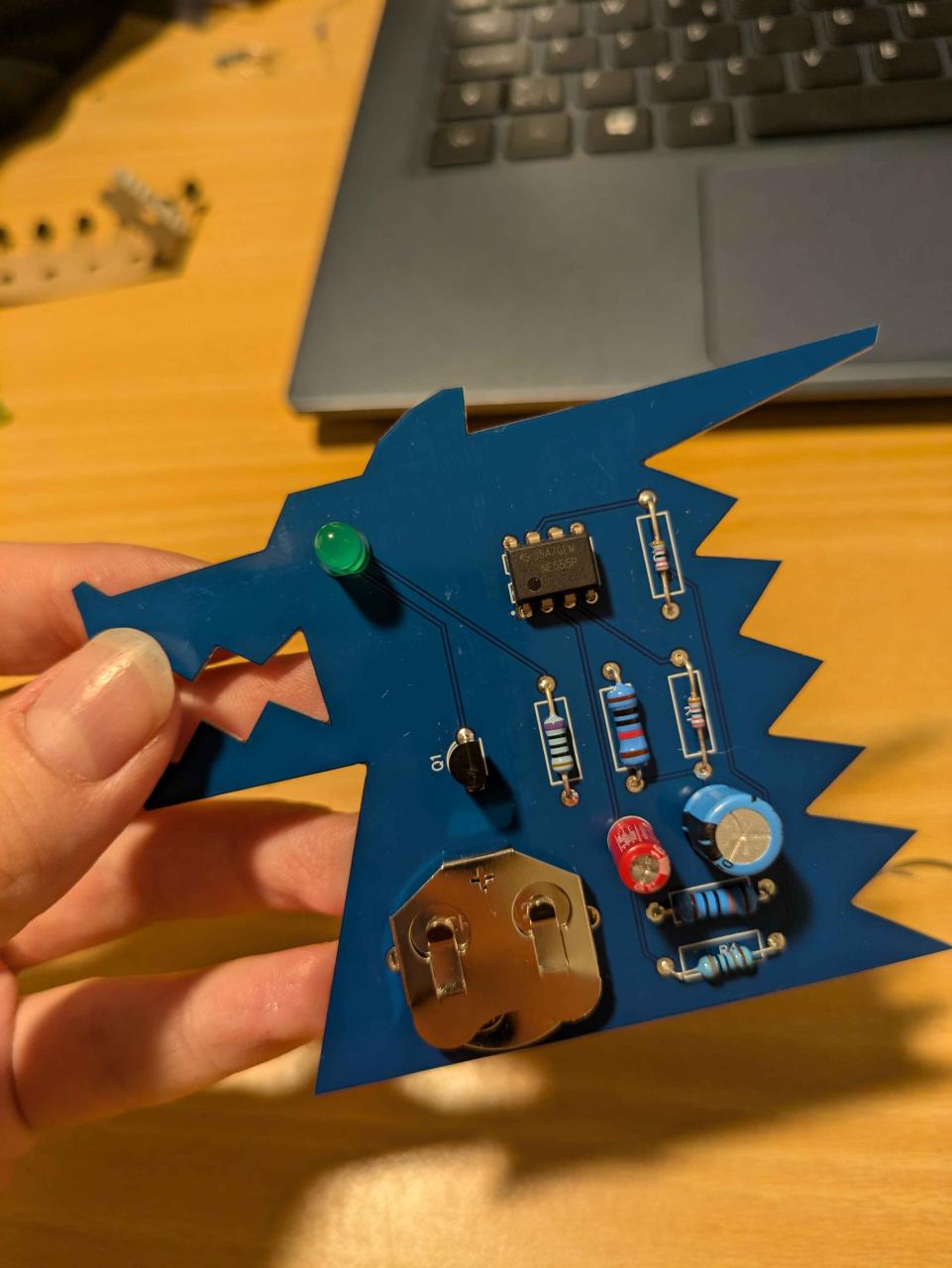
Dragon-shaped PCB made with 555 timer